How to Generate Automated VAT Invoices
Introduction
In today’s fast-paced business environment, manual VAT invoice creation is not only time-consuming but also prone to errors. With the implementation of VAT in the UAE, it's essential for businesses to ensure accurate and compliant invoicing. Automated VAT invoicing solutions streamline this process, reduce human error, and help maintain compliance with Federal Tax Authority (FTA) requirements.
This blog explains how to generate automated VAT invoices, the key components, and the tools available for businesses operating in the UAE.
________________________________________
📌 What is an Automated VAT Invoice?
An automated VAT invoice is a tax-compliant invoice generated using accounting software or ERP systems that automatically captures transaction data, calculates VAT, and formats the invoice as per FTA guidelines. These invoices can be generated for each sale or service without manual intervention once properly configured.
________________________________________
🔍 Why Automate VAT Invoicing?
✅ Key Benefits:
• Accuracy in VAT calculation
• Time-saving – generate bulk invoices in seconds
• Reduced compliance risk
• Professional appearance
• Easy integration with accounting, inventory, and CRM systems
• Real-time audit trail and reporting
________________________________________
🧾 Mandatory Details for a VAT Invoice in the UAE
As per FTA guidelines, a valid VAT invoice must include:
Invoice Element Requirement
Seller's name, address, and TRN Mandatory
Unique invoice number Sequential and unique
Invoice date and time of supply Both are required
Customer's name, address, and TRN (if registered) Mandatory for full tax invoice
Description of goods/services Clear and complete
Quantity and unit price Accurate for goods
Net amount Excluding VAT
VAT rate and amount Usually 5% in UAE
Total amount including VAT Grand total
Currency AED (or clearly indicate FX if applicable)
✅ Invoices can be full or simplified depending on the transaction value.
________________________________________
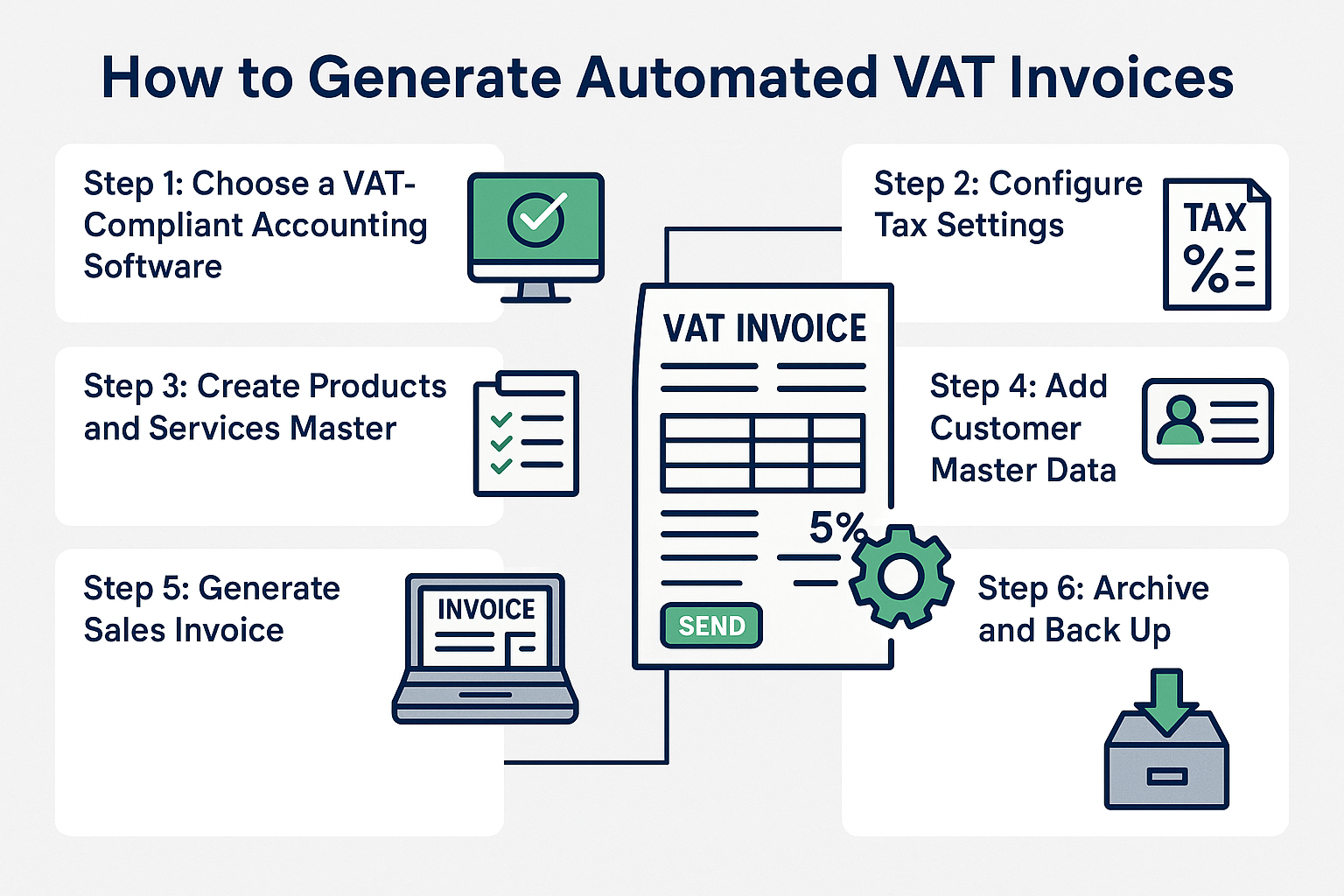
🛠️ Steps to Generate Automated VAT Invoices
Step 1: Choose a VAT-Compliant Accounting Software
Use cloud-based or local software that is compliant with FTA regulations. Examples include:
• Finabooks (customizable for UAE VAT)
• Zoho Books
• QuickBooks
• TallyPrime (UAE edition)
Ensure the software supports:
• VAT rates
• Invoice customization
• Audit trail
• Credit/debit notes
• EmaraTax integration (optional)
________________________________________
Step 2: Configure Tax Settings
• Input your TRN and business details
• Set default VAT rate (5%)
• Add any zero-rated or exempt categories
• Enable auto-calculation for VAT
________________________________________
Step 3: Create Products and Services Master
• Add items with:
o Description
o VAT classification (standard, zero-rated, exempt)
o Pricing
• Assign unit of measure, categories, and tax codes
________________________________________
Step 4: Add Customer Master Data
Include:
• Customer name, address
• TRN (if applicable)
• Payment terms
• Currency
This helps in issuing full tax invoices and ensures traceability.
________________________________________
Step 5: Generate Sales Invoice
• Choose customer
• Add items/services
• Let the system calculate subtotal + VAT
• Review the preview
• Click "Generate" or "Send"
The system will:
• Create a compliant invoice
• Assign a unique invoice number
• Save invoice for records
• Optionally, email invoice to the customer
________________________________________
Step 6: Archive and Back Up
Invoices must be retained for 5 years (or 15 years in real estate). Automated systems ensure:
• Proper storage
• Easy retrieval
• Secure backups (cloud or local)
________________________________________
📤 Integration with E-invoicing and EmaraTax
FTA is moving toward e-invoicing and digital compliance. Many automated tools now offer:
• Integration with EmaraTax
• e-Invoice QR codes
• Audit-ready reports
Ensure your system is capable of adapting to future Phase 2 of e-Invoicing in the UAE.
________________________________________
🧩 Optional Automation Features
Feature Purpose
Recurring invoices For subscriptions or fixed monthly billing
Auto reminders Notify customers of pending payments
VAT reconciliation Match input vs output VAT automatically
Reporting dashboard Real-time VAT liability view
________________________________________
🛡️ Compliance Reminder
• Always review your system configuration regularly
• Update VAT rules as per latest FTA circulars
• Conduct internal checks or external audits to ensure invoicing is aligned
________________________________________
💡 Final Thoughts
Automating your VAT invoicing is no longer a luxury—it's a necessity. It ensures you stay compliant, efficient, and audit-ready in the evolving UAE VAT environment. Businesses should invest in a reliable accounting solution like Finabooks or other FTA-compliant tools to manage their VAT process smoothly.
Need help setting up automated VAT invoicing for your business?
Contact Sheikh Anwar Accounting & Auditing LLC today and simplify your compliance journey.
📧 info@sa-auditors.com
🌐 www.sa-auditors.com